Need help choosing a course?Talk to us

WPF

5.0 out of 5 6 learner reviews

Master WPF (Windows Presentation Foundation) development with C#. Build professional desktop applications with rich user interfaces, data binding, animations, and advanced styling. Learn MVVM architecture and best practices for modern desktop development.

Last Update : 26/11/2026

Preview: Topics below are for preview only and may vary based on your course enrollment.
  • What is WPF?
  • WPF vs Windows Forms vs MAUI
  • Setting Up Your Development Environment
  • Your First WPF Application

  • Understanding XAML
  • XAML Elements and Attributes
  • Code-Behind and Event Handling
  • XAML Namespaces

  • Common WPF Controls
  • Layout Panels
  • Grid Layout Mastery
  • Dynamic Layout Management

  • Binding Basics
  • Binding Expressions
  • Value Converters
  • Binding Validation

  • ItemsControl and ListBox
  • DataGrid
  • TreeView and Hierarchical Data
  • ComboBox and Dropdown Binding

  • Inline Styles
  • Style Resources
  • Templates and ControlTemplates
  • Theme Development

  • DataTemplate Basics
  • Template Selectors
  • Custom Control Templates
  • Visual Tree and Logical Tree

  • MVVM Pattern Overview
  • ViewModels and Commands
  • INotifyPropertyChanged
  • MVVM Frameworks

  • Routed Events
  • ICommand Interface
  • RelayCommand Implementation
  • Event Handling Best Practices

  • Storyboard Animations
  • Animation Types
  • Transitions and Triggers
  • Performance Optimization

  • Dependency Properties
  • Attached Properties
  • Property Metadata
  • Property Value Inheritance

  • User Controls
  • Custom Controls
  • Custom Control Templates
  • Control Styling and Theming

  • Application Resources
  • Window and Control Resources
  • Resource Dictionaries
  • Merged Dictionaries

  • Text Controls
  • Font and Typography
  • Text Formatting
  • Flow Documents

  • Shapes and Geometries
  • Brushes and Fills
  • Drawing Context
  • Transforms

  • Entity Framework Core with WPF
  • ObservableCollection
  • LINQ and Data Queries
  • Async Data Loading

  • Creating Dialog Windows
  • Message Boxes and Dialogs
  • Window Communication
  • MDI Applications

  • Input Validation
  • Data Annotations
  • Error Display and Feedback
  • Exception Handling

  • Keyboard Events
  • Mouse Events
  • Keyboard Focus and Input Devices
  • Drag and Drop

  • Print Dialog and Printing
  • Visual Printing
  • Print Preview
  • Document Generation

  • File Operations
  • Application Settings
  • XML Configuration
  • Recent Files

  • UI Thread and Threading
  • BackgroundWorker
  • Async/Await Pattern
  • Progress Reporting

  • Publishing WPF Applications
  • ClickOnce Deployment
  • Installer Creation
  • Application Updates

  • Unit Testing
  • Visual Studio Debugger
  • XAML Debugging
  • Performance Profiling

  • Localization and Globalization
  • Accessibility
  • Platform-Specific Features
  • Multithreading Patterns

  • Application Architecture
  • MVVM Best Practices
  • Complex UI Scenarios
  • Enterprise Patterns

What you'll gain from WPF

  • Create rich Windows interfaces with XAML, styles and templates.
  • Use MVVM to separate interface behaviour from application logic.
  • Build data-bound screens with commands, validation and responsive background work.
  • AI-assisted development: use AI tools to draft desktop UI logic, data-handling code and tests; review and test generated suggestions.
  • Security: validate user input and protect stored credentials and sensitive local data.
  • Database: connect desktop screens to databases with safe queries and reliable data binding.
  • Performance and optimization: keep interfaces responsive through background operations and efficient data loading.
  • Deployment: prepare desktop builds, configuration and application distribution.
  • Interview preparation: practise explaining concepts, solving technical problems and discussing practical examples from this course.
  • Salary increment opportunities: strengthen your case for a salary increase or a better-paying role with practical skills you can demonstrate.

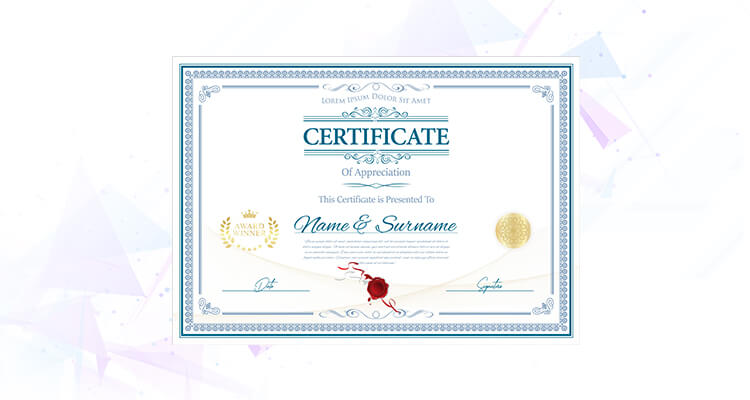
Certificate preview

Sample
Sample certificate design with a placeholder recipient name
Sample certificate for illustration. View full size (opens in a new tab)
Student reviews
4.8 / 5
Based on 6 reviews
5 stars 5
4 stars 1
3 stars 0
2 stars 0
1 stars 0

Vishal Patel

Excellent WPF course! Very comprehensive for building professional desktop applications.

Madhuri Joshi

Outstanding WPF training! Perfect for learning XAML and MVVM patterns.

Arpit Verma

Great WPF course for developers. Very well-structured and hands-on.

Sakshi Rao

Fantastic WPF course! The instructor explains framework concepts clearly.

Rajesh Kumar

Perfect WPF course for desktop development. Great practical examples.

Priya Sharma

Excellent WPF training program. Very professional and comprehensive.