Need help choosing a course?Talk to us

Windows Forms

5.0 out of 5 6 learner reviews

Master C# Windows Forms development for building robust desktop applications. Learn to create professional UI applications with data binding, event handling, and advanced controls.

Last Update : 22/11/2026

Preview: Topics below are for preview only and may vary based on your course enrollment.
  • What is Windows Forms?
  • Windows Forms vs WPF vs MAUI
  • Setting Up Your Development Environment
  • Your First Windows Forms Application

  • Understanding Forms
  • Basic Controls
  • Control Properties and Methods
  • Designer and Code-Behind

  • Positioning Controls
  • Container Controls
  • Responsive Design
  • Control Arrangement

  • Understanding Events
  • Common Events
  • Event Handlers
  • Delegates and Custom Events

  • Simple Data Binding
  • Complex Data Binding
  • Binding Source
  • Two-Way Binding

  • TextBox Control
  • Input Validation
  • Validation Events
  • Input Masking

  • ListBox Control
  • ComboBox Control
  • CheckedListBox
  • Populating Lists

  • DataGridView Basics
  • Columns and Rows
  • Data Binding to DataGridView
  • Cell Editing and Validation

  • MenuStrip Component
  • Context Menus
  • ToolStrip Control
  • Status Strip

  • Form as Dialog
  • Common Dialogs
  • MessageBox
  • Dialog Results

  • DataSet and DataTable
  • Database Connectivity
  • Entity Framework with Windows Forms
  • Data Display and Updates

  • TreeView Control
  • ListView Control
  • RichTextBox
  • PictureBox and Image Handling

  • Form Properties
  • Themes and Styling
  • Multi-Form Applications
  • Splash Screens

  • Input Validation
  • ErrorProvider Component
  • Exception Handling
  • Logging and Diagnostics

  • Keyboard Input
  • Mouse Input
  • Drag and Drop
  • Cut, Copy, Paste

  • GDI+ Basics
  • Pens and Brushes
  • Custom Painting
  • Graphics Transformations

  • PrintDocument Component
  • Print Preview
  • Page Setup
  • Printing Data

  • App.config File
  • User Settings
  • Connection Strings
  • Application State

  • BackgroundWorker Component
  • Asynchronous Operations
  • Progress Reporting
  • Thread Safety

  • MDI Applications
  • SDI Applications
  • Dockable Windows
  • Custom Controls

  • Visual Studio Debugger
  • Unit Testing
  • Integration Testing
  • Performance Profiling

  • Building for Release
  • Application Installer
  • ClickOnce Deployment
  • Application Updates

  • Input Validation and Sanitization
  • Secure Data Storage
  • Access Control
  • Code Obfuscation

  • Application Architecture
  • Dependency Injection
  • MVVM Pattern
  • Business Logic Layer

  • File Operations
  • Registry Operations
  • System Integration
  • Network Communication

What you'll gain from Windows Forms

  • Build useful Windows desktop tools with forms and business controls.
  • Turn database records into usable screens with data binding and DataGridView.
  • Keep interfaces responsive and package applications for distribution.
  • AI-assisted development: use AI tools to draft desktop UI logic, data-handling code and tests; review and test generated suggestions.
  • Security: validate user input and protect stored credentials and sensitive local data.
  • Database: connect desktop screens to databases with safe queries and reliable data binding.
  • Performance and optimization: keep interfaces responsive through background operations and efficient data loading.
  • Deployment: prepare desktop builds, configuration and application distribution.
  • Interview preparation: practise explaining concepts, solving technical problems and discussing practical examples from this course.
  • Salary increment opportunities: strengthen your case for a salary increase or a better-paying role with practical skills you can demonstrate.

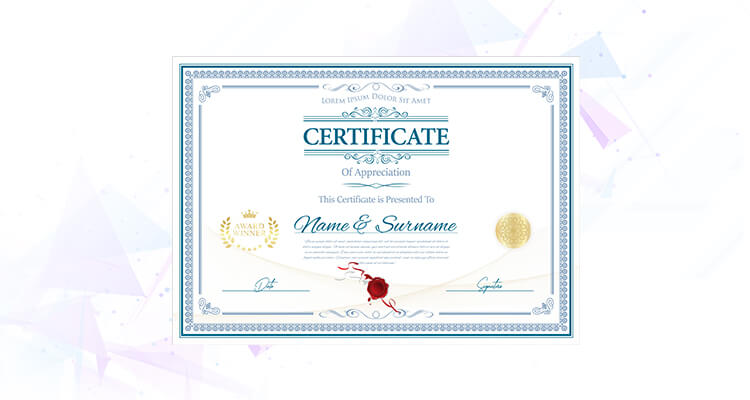
Certificate preview

Sample
Sample certificate design with a placeholder recipient name
Sample certificate for illustration. View full size (opens in a new tab)
Student reviews
4.8 / 5
Based on 6 reviews
5 stars 5
4 stars 1
3 stars 0
2 stars 0
1 stars 0

Tushar Pande

Excellent Windows Forms course! Very comprehensive for building desktop applications.

Nidhi Singh

Outstanding Windows Forms training! Perfect for learning desktop UI development.

Rajeev Tiwari

Great Windows Forms course for developers. Very well-structured and practical.

Swati Nayak

Fantastic Windows Forms course! The instructor explains concepts clearly.

Abhijit Dey

Perfect Windows Forms course for desktop development. Great examples.

Simran Kaur

Excellent Windows Forms training program. Very detailed and hands-on.